Quickstart
From nothing to your first root cause in five minutes
Seven steps, end to end: an account, a tag on your site, the first real visit, a server under watch, a trace from the page to the query, and a ticket that says why — on the hosted service. A 15-day free trial with 1 server, unlimited websites and mobile apps; then a licence — info@obscenter.site.
Start the clock — create an accountNeed it on your own server? We install it
-
0:00
1Create your account
Open Registration and give an email address, a password and the name of your organisation — or continue with Google. You land in an organisation of your own; open the link we mail you to confirm the address, and the dashboard is yours.
-
0:45
2Put the tag on your site
Launchpad → Install → Web application → + New application: name your site and copy the one-line
<script>tag into your pages, before</head>. No build step and no package — the tag is served by Obscenter, so every fix reaches your site without you redeploying.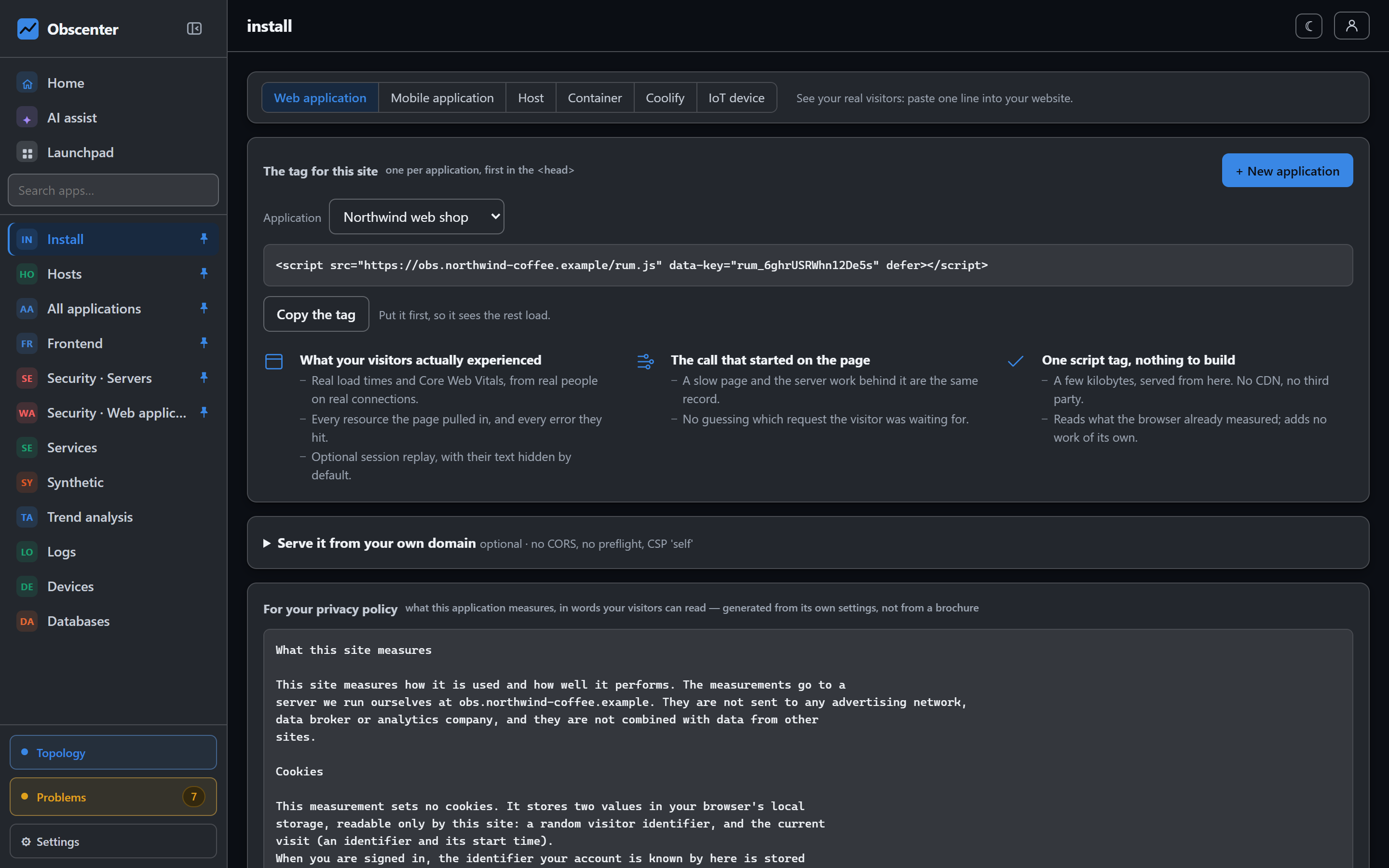
-
1:30
3Watch the first visit arrive
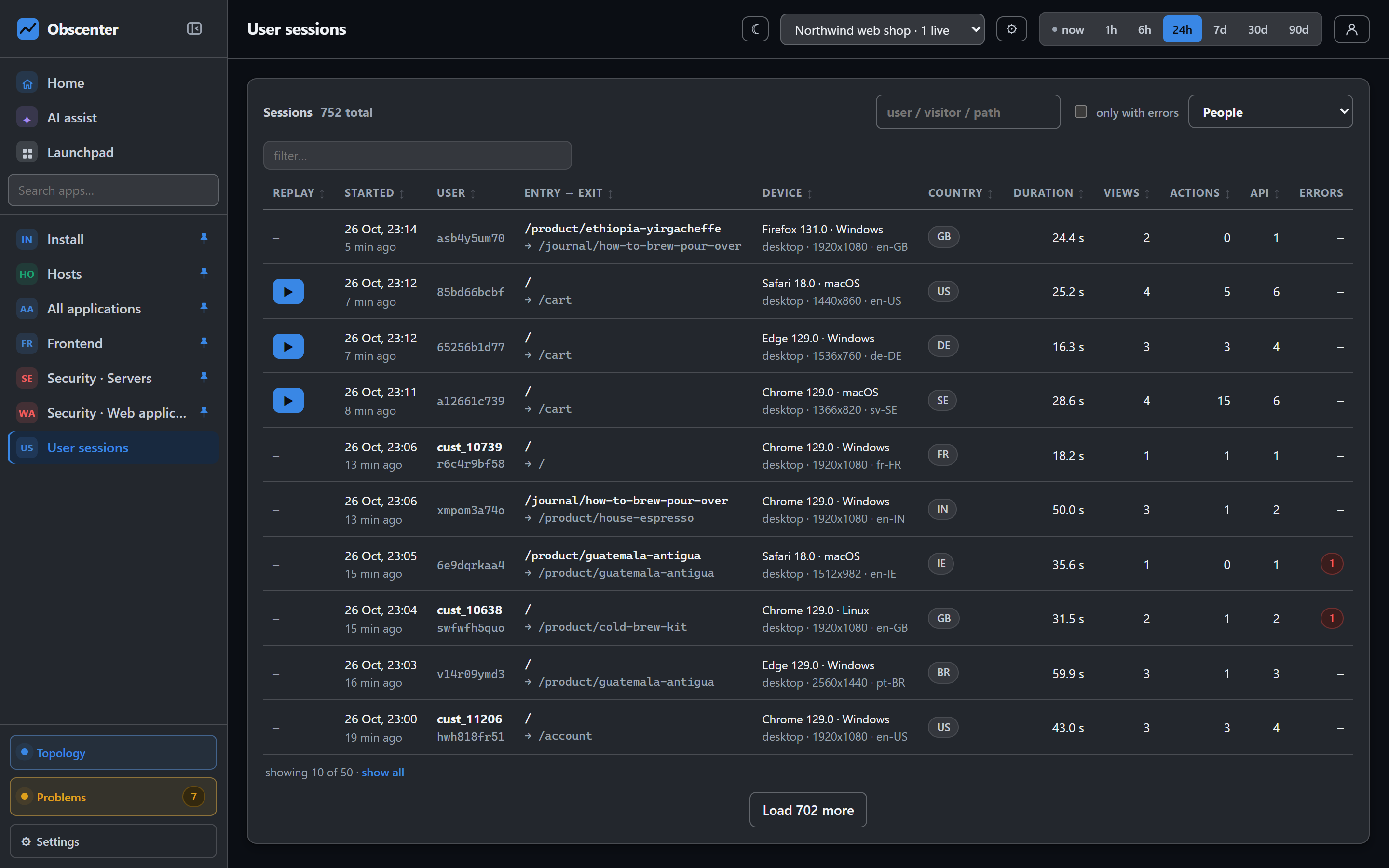
Open your own site in another tab. The visit shows up under User sessions: the pages, the load times, Core Web Vitals, the browser and the country — and, for the visitors replay samples, the recording, with every input field masked.
-
2:30
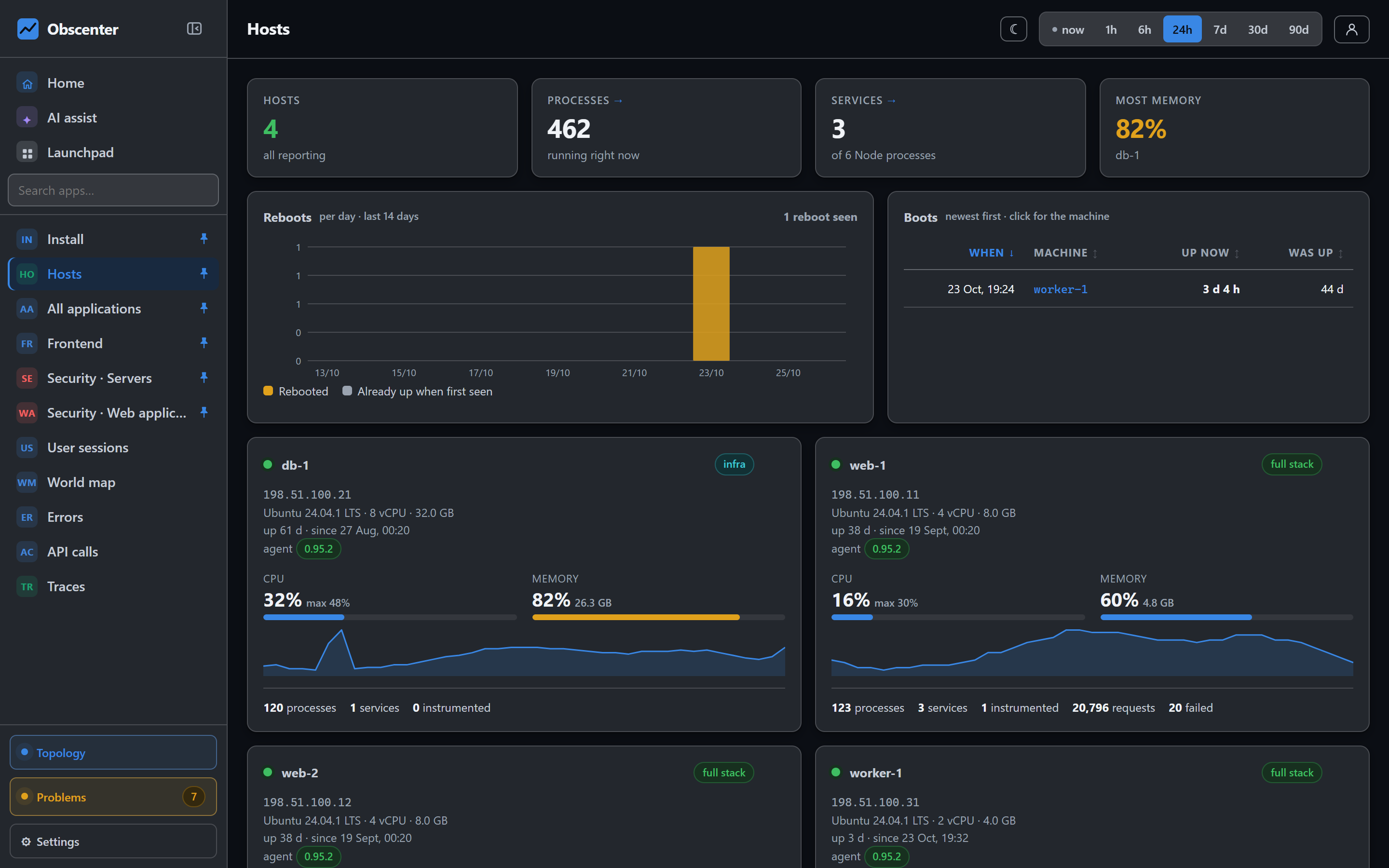
4Install the agent on a server
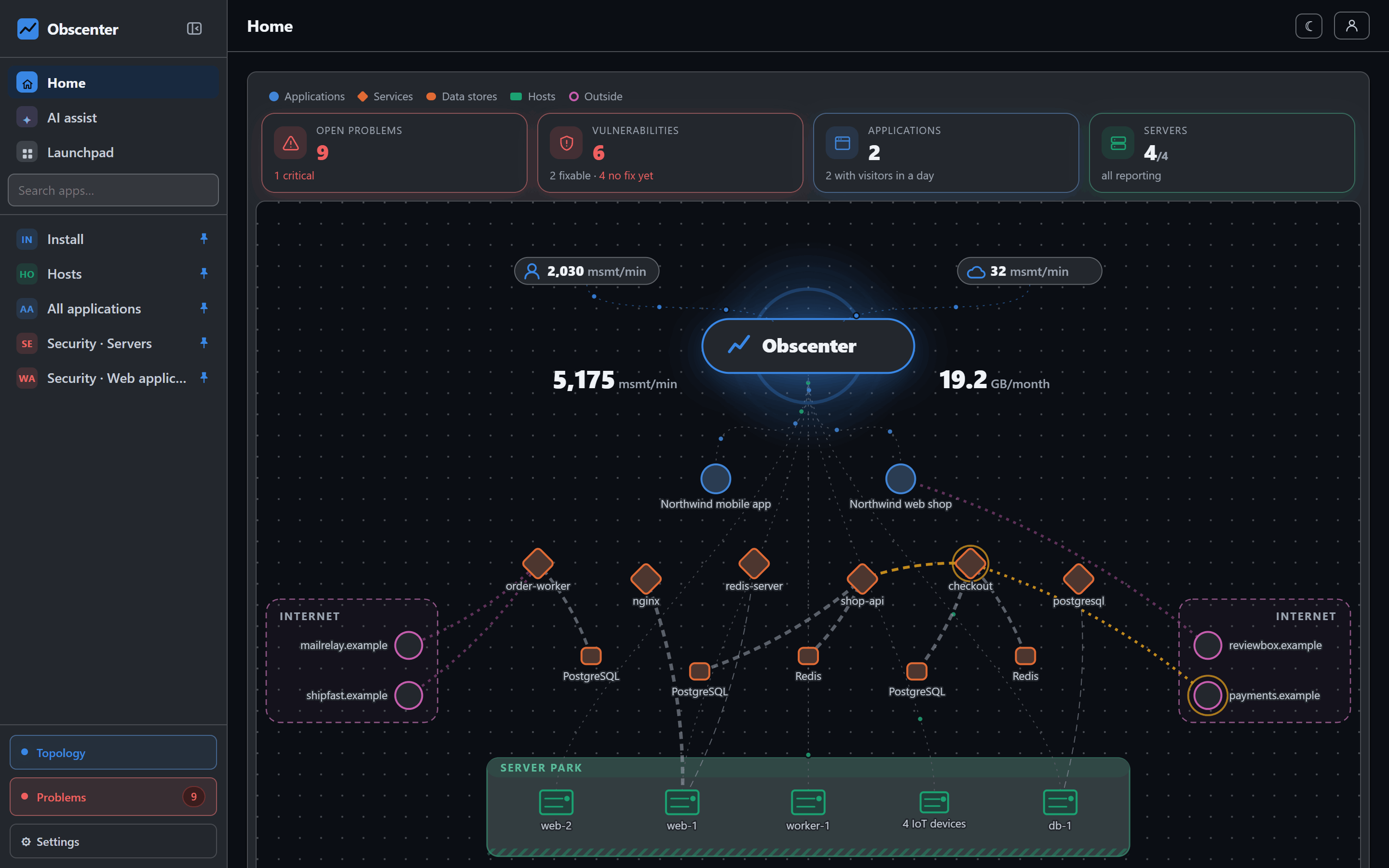
Launchpad → Install → Host gives you a single command with your own key in it. Run it as root on a Linux machine (Windows has its own installer). The machine is yours from its first report: CPU, memory, disks, network, processes and services — and if it runs nginx, the agent finds the sites it serves and can put the tag on them for you.
-
3:30
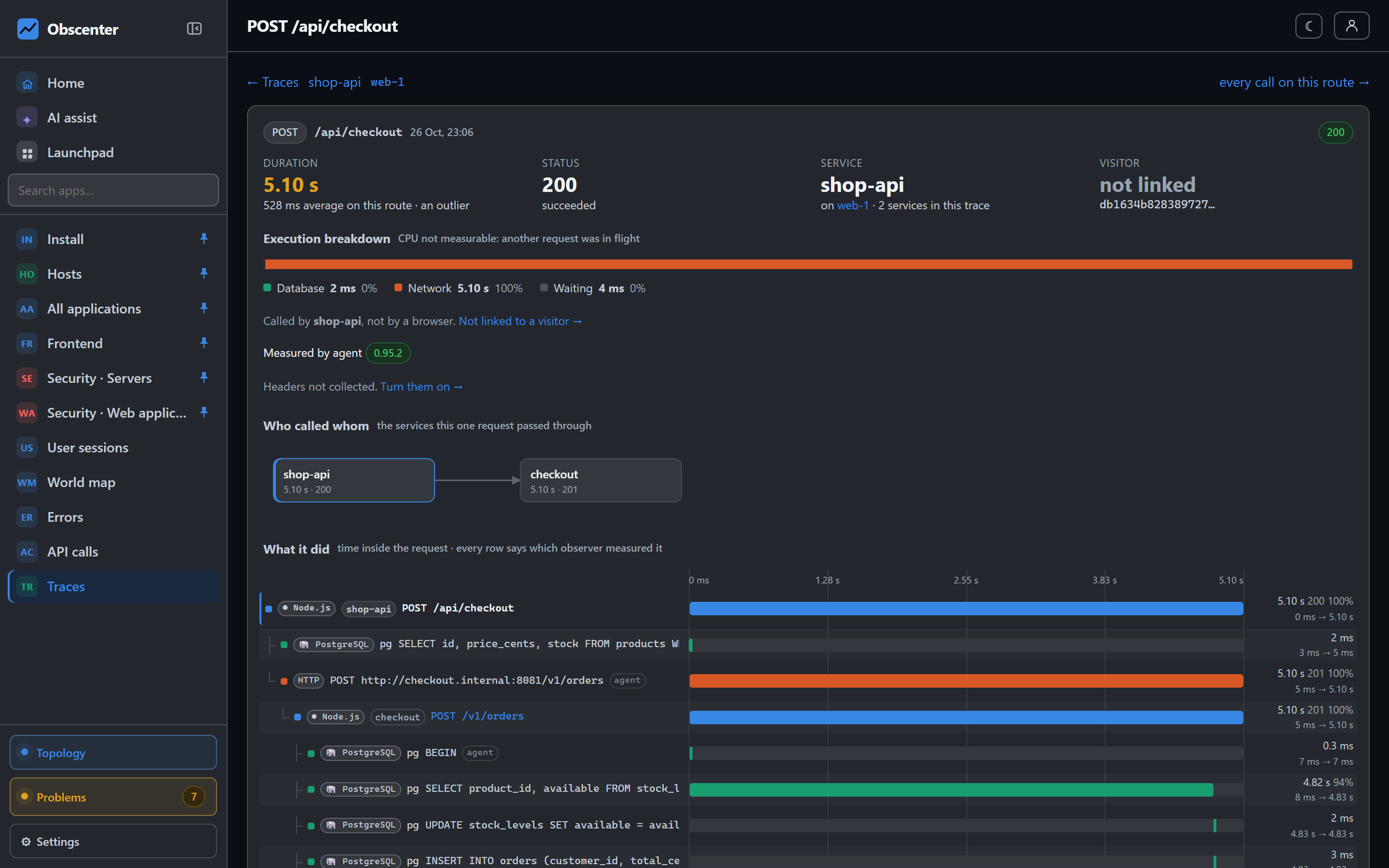
5Follow a slow page to its cause
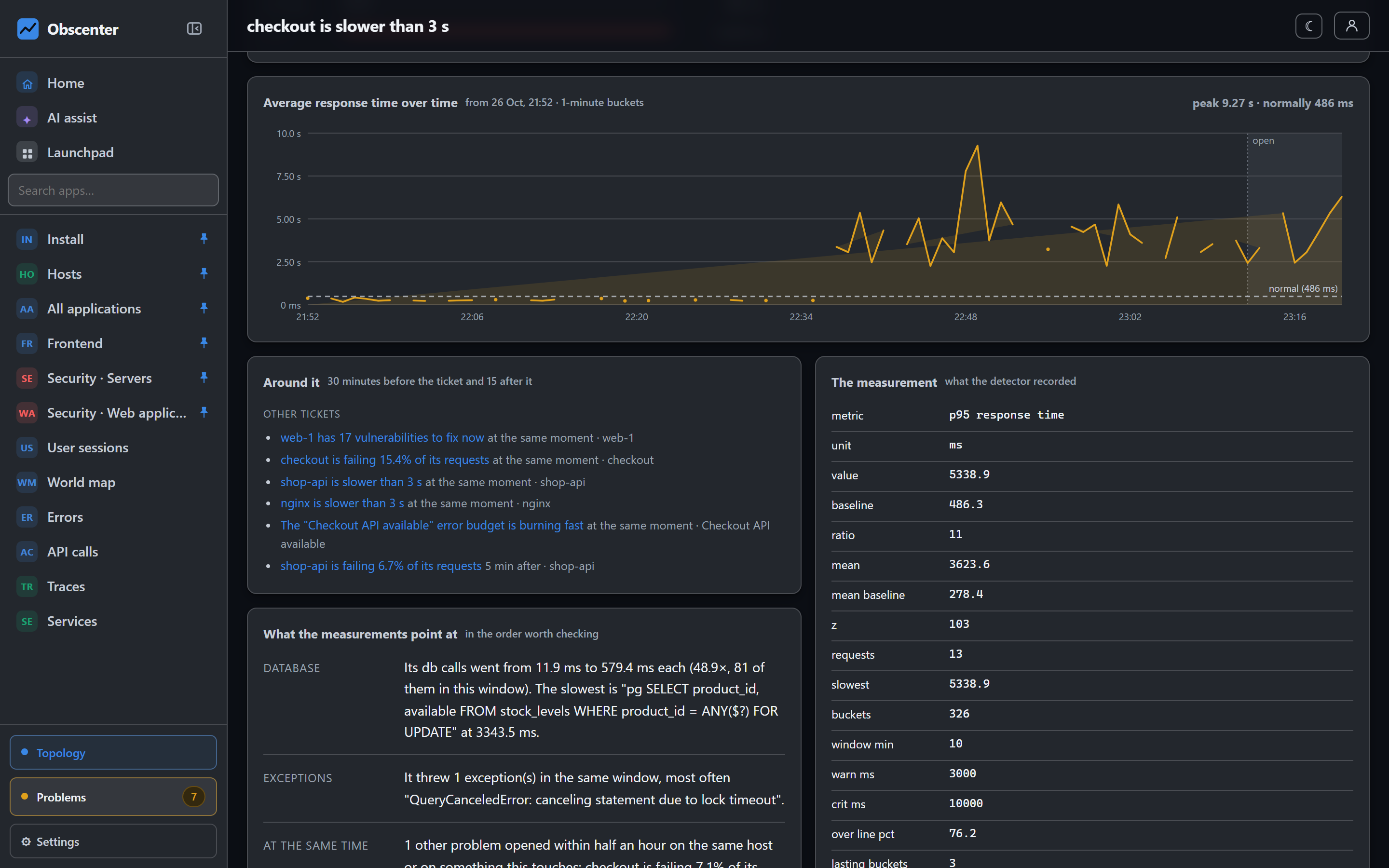
Node services the agent instruments send their requests, database queries and outgoing calls as traces, joined to the page load that caused them. Open a slow request and read where the time went, span by span.
-
4:15
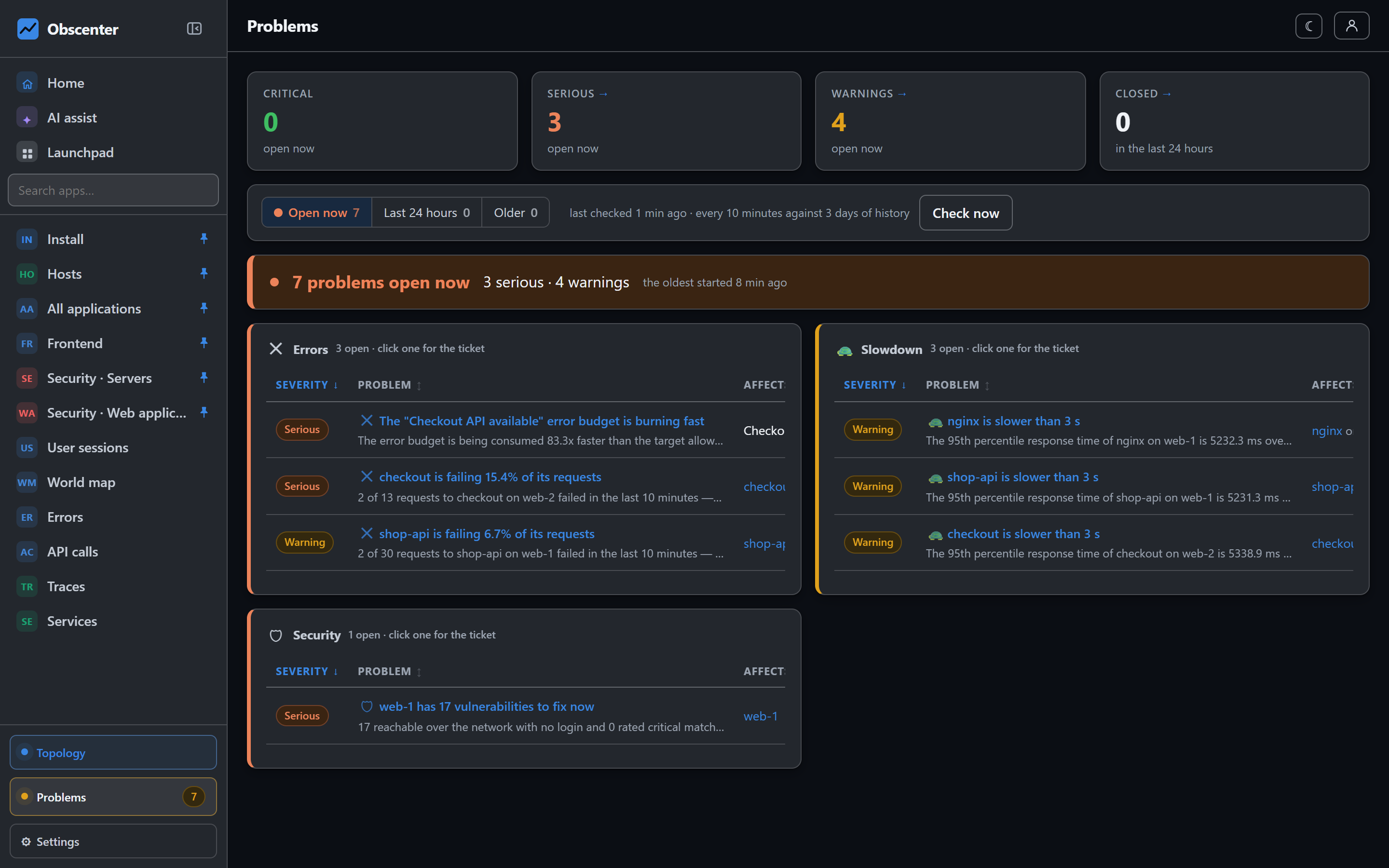
6Decide who is told
Problems are opened by themselves when something stops being normal — a site that slows down, a disk filling up, a host that stops answering — each with its root cause. Under Settings → Notifications, point them at email, Slack, Microsoft Teams or a webhook, and choose by severity and by machine.
-
5:00
7That is the loop
Real visitors measured, a server watched, traces from the page to the query, and a ticket that tells you why. Invite your team from Settings → Accounts; each sees what you give them.