Blog 26 October 2026 · 6 min read
Root cause analysis instead of alert fatigue
One ticket per fault, judged against its own baseline, with the root cause named from your traces and routed to Slack, Teams, email or a webhook.
Every monitoring tool can send an alert. The hard part is sending the right one, once, with enough evidence that the person reading it at three in the morning knows where to look. A product that pages people for healthy machines gets switched off within a month, and then it catches nothing at all.
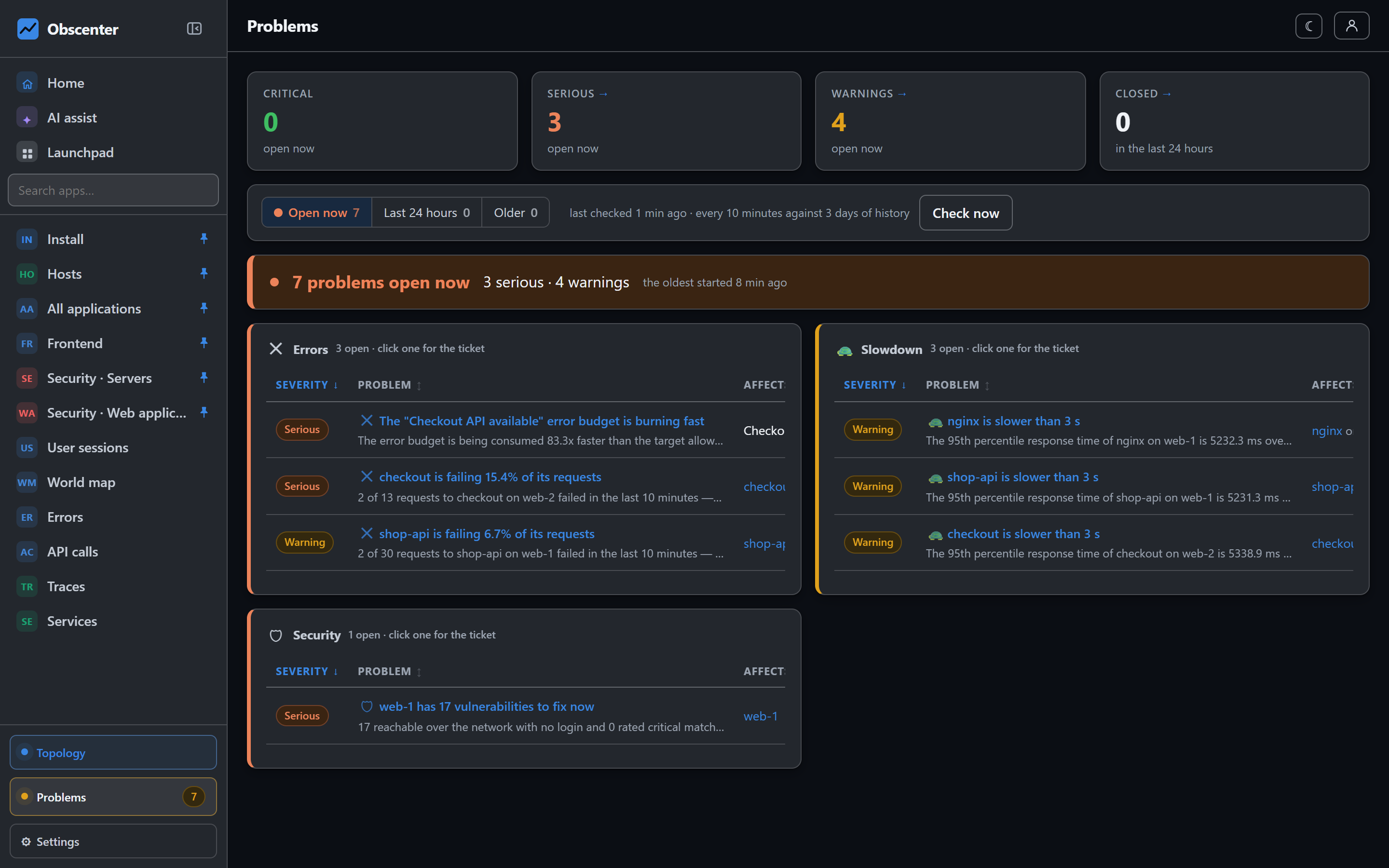
Obscenter's problem engine is built around three decisions: a fault is a ticket, not a stream of alerts; the threshold is the metric's own history; and the cause is read from data that is already stored.
A problem is a ticket, not an alert
An alert fires every minute for as long as a fault lasts, and the twentieth one carries no information. A problem in Obscenter opens once, keeps its identity while the fault holds, gathers evidence as it goes, and closes itself — with its duration — when the measurement returns to normal.
The engine runs every two minutes. However many times it looks at the same fault, the fault is one ticket.
Anomaly detection with baselines, not fixed thresholds
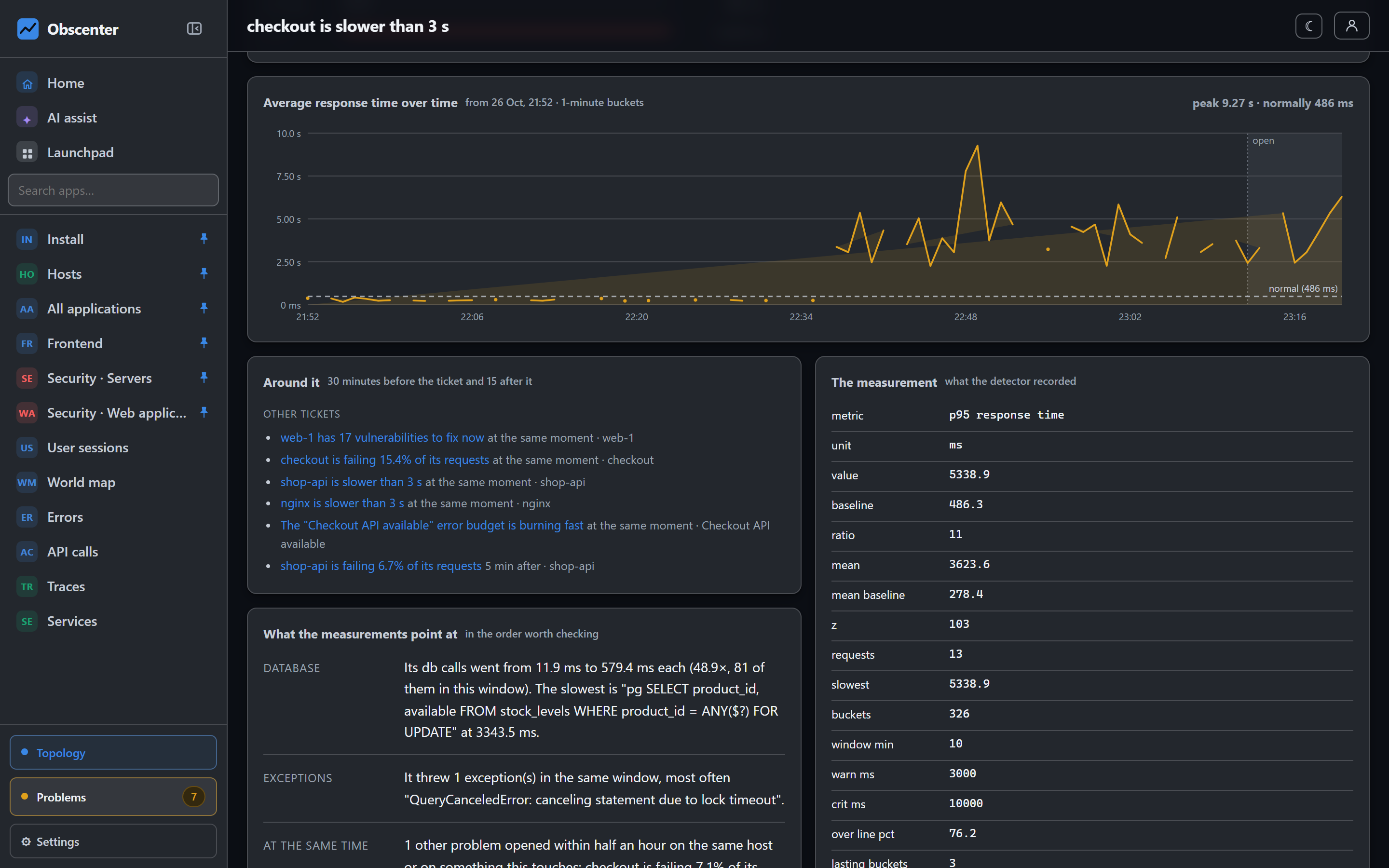
A fixed "slower than 500 ms is bad" is wrong everywhere: it alarms on one service and is blind on the next. So each metric is compared with its own last three days, using the median and the median absolute deviation rather than the mean and standard deviation. One outage inside the baseline window would drag a mean far enough to hide the next one; a median does not move.
Absolute limits exist only where the number means something on its own. A disk at 96% is full whatever it did last week.
Response time shows how the rules stack up to stay quiet. A latency ticket needs all three of:
- the p95 is past the application's own warning line, in real milliseconds;
- it was felt — a share of real requests crossed that line — or it lasted across buckets, so it is not a single spike;
- it moved against its own history, or it is past the critical line.
Every detector has a check that builds a healthy world, confirms silence, breaks exactly one thing, and confirms that is what comes out. One slow request among a hundred fast ones does not open a ticket; a shifted distribution does.
What gets judged
Everything Obscenter measures is either watched by a detector or carries a written reason why it deliberately does not alert. The build fails on a measurement that has neither. Among what is watched:
- Services — response time, error rate, exceptions, a service that goes silent, a saturated or blocked event loop, a heap growing on a straight line.
- Machines — CPU, memory, disk, network loss, a host whose agent stops reporting, file-descriptor and thread exhaustion in a process.
- Containers — memory pressure and CPU throttling.
- Databases — deadlocks, rollbacks and a falling cache hit ratio.
- Frontends — new browser errors, a collapse in traffic, rage and dead clicks spread across sessions.
- Synthetic checks — consecutive failures and certificates about to expire.
- SLOs — error budgets burning too fast.
- Security — exploited vulnerabilities, SSH and RDP guessing, a login from a new place.
- IoT devices — a sensor that stops reporting.
Root cause analysis from the data you already have
When a service slows down, its own traces already record where the time went, and the host metrics already record whether the machine under it ran out of CPU. The engine asks five questions, in the order a person would:
- The machine underneath — was the host saturated in the same window?
- What it waited on — the services it called, followed along the span chain and compared with their baselines.
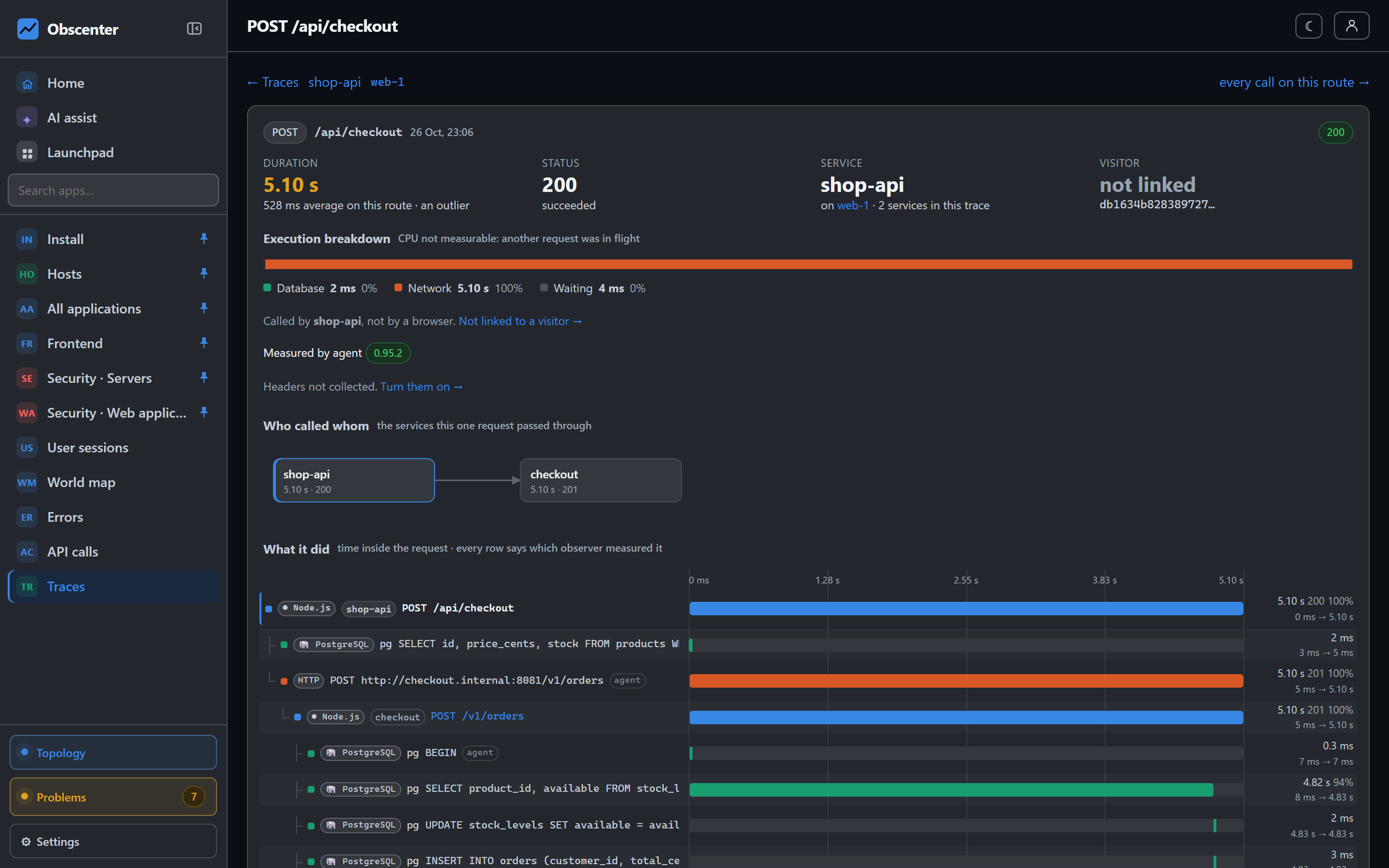
- Where the time went inside — by span kind (database, outgoing call, code), with the slowest operation named.
- What it threw — exceptions from the same window.
- What else broke at the same time — other tickets on the same host or on what it calls, and which one started first.
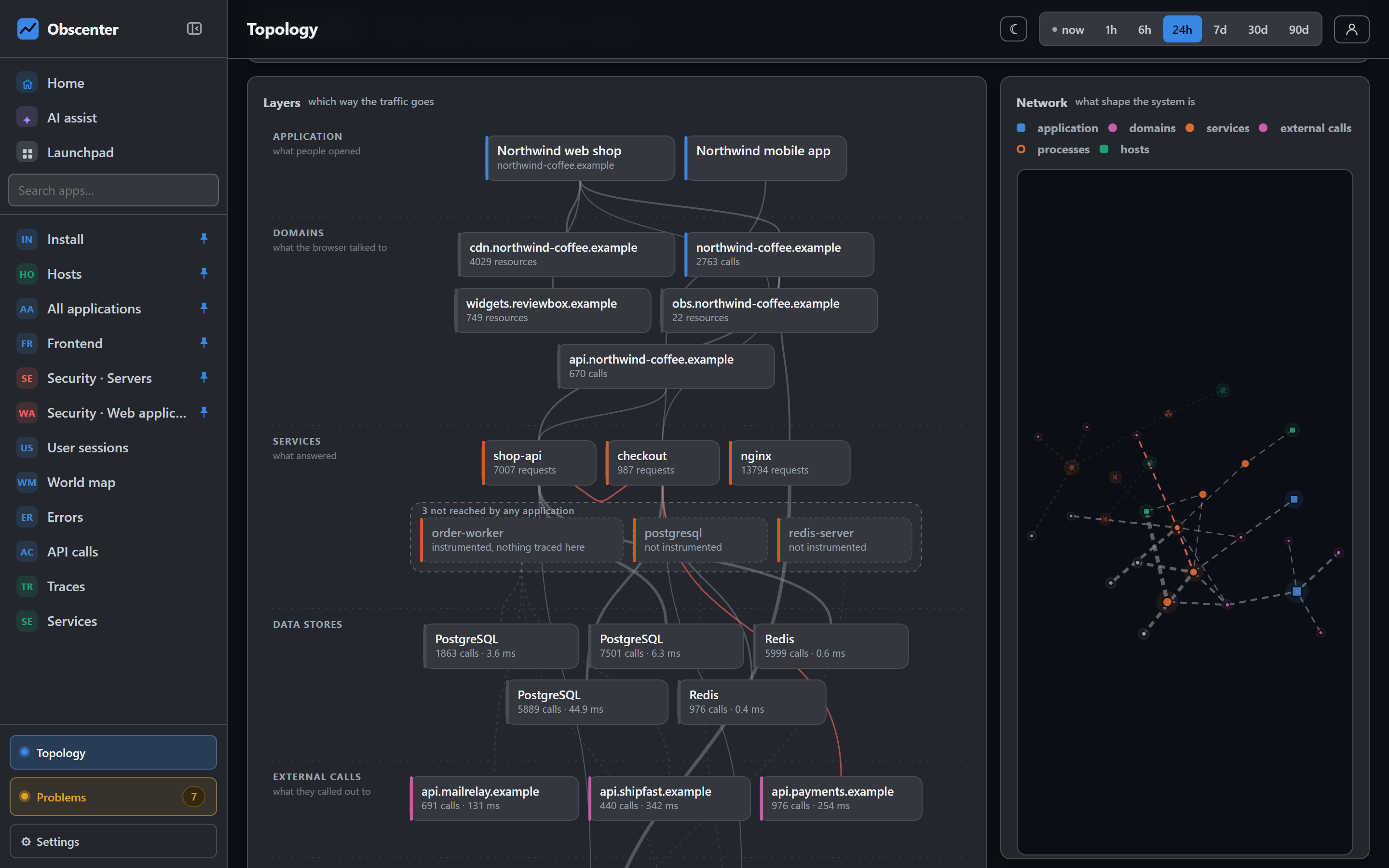
Every answer carries the number it came from: not "the database is slow", but "the database spans went from 40 ms to 1.2 s and are 84% of the request". A reboot of the ticket's own machine just before it opened is ranked first, beside a deploy. Anything the engine cannot establish, it leaves out — a root-cause section that always produces a cause is sometimes making one up. The ticket ends with links to traces from the window.
The ticket timeline: deploys, reboots and restarts in order
Read as a list, "the collector was redeployed, a machine rebooted, the site started answering 502, somebody was mailed" is four findings. Read on one axis, it is one incident. Each ticket carries a timeline that starts two hours before it opened and runs past its end:
- the ticket's own opening, escalation and closing, and every notification with whether it was delivered;
- deploy markers your CI posted, and the agent changing version;
- reboots of this machine, and of any other within ten minutes of the ticket opening;
- units that came back as a new process;
- SSH logins on the machines involved;
- where the measurement rose, peaked and came back.
Deploy markers are one curl in a pipeline, using the application's key:
curl -X POST https://your-collector.example/api/deploy \
  -H 'Content-Type: application/json' \
  -d '{"key":"rum_…","version":"v2.4.1","note":"checkout fix"}'
The timeline is scoped like everything else: someone who may read a service's ticket but not the machine under it is not told who logged into that machine.
Where AI helps, and where it is not allowed to decide
Everything above works without a language model. Detection, baselines and root cause are measured, and every ticket carries a finished explanation. If you configure a model, it adds two things: a readable summary at the top of the ticket, and a cause read across everything that was happening at once. Its answer must cite the evidence it rests on; "high" confidence needs at least two grounded citations, and a claim that points at nothing is shown as such, never as a cause.
The model never decides whether something is wrong, never ranks tickets and cannot suppress one. By default only the shape of an incident leaves your install — host and service names, span kinds, cleaned routes, status codes and numbers — not error messages, log lines, SQL or URLs, unless you switch that on with a setting that says exactly that.
Alert routing to Slack, Microsoft Teams, email and webhooks
Who hears about a ticket is decided by notification policies, each one written once:
| A policy says | |
|---|---|
| What | A severity floor, categories, and a scope — machines, applications, devices or a team's grants |
| Whom | People, teams, and channels: email, Slack, Microsoft Teams (as an Adaptive Card) or a webhook |
| How | A repeat window, whether closures are told, and an escalation: still open and unacknowledged after N minutes, ring a second set |
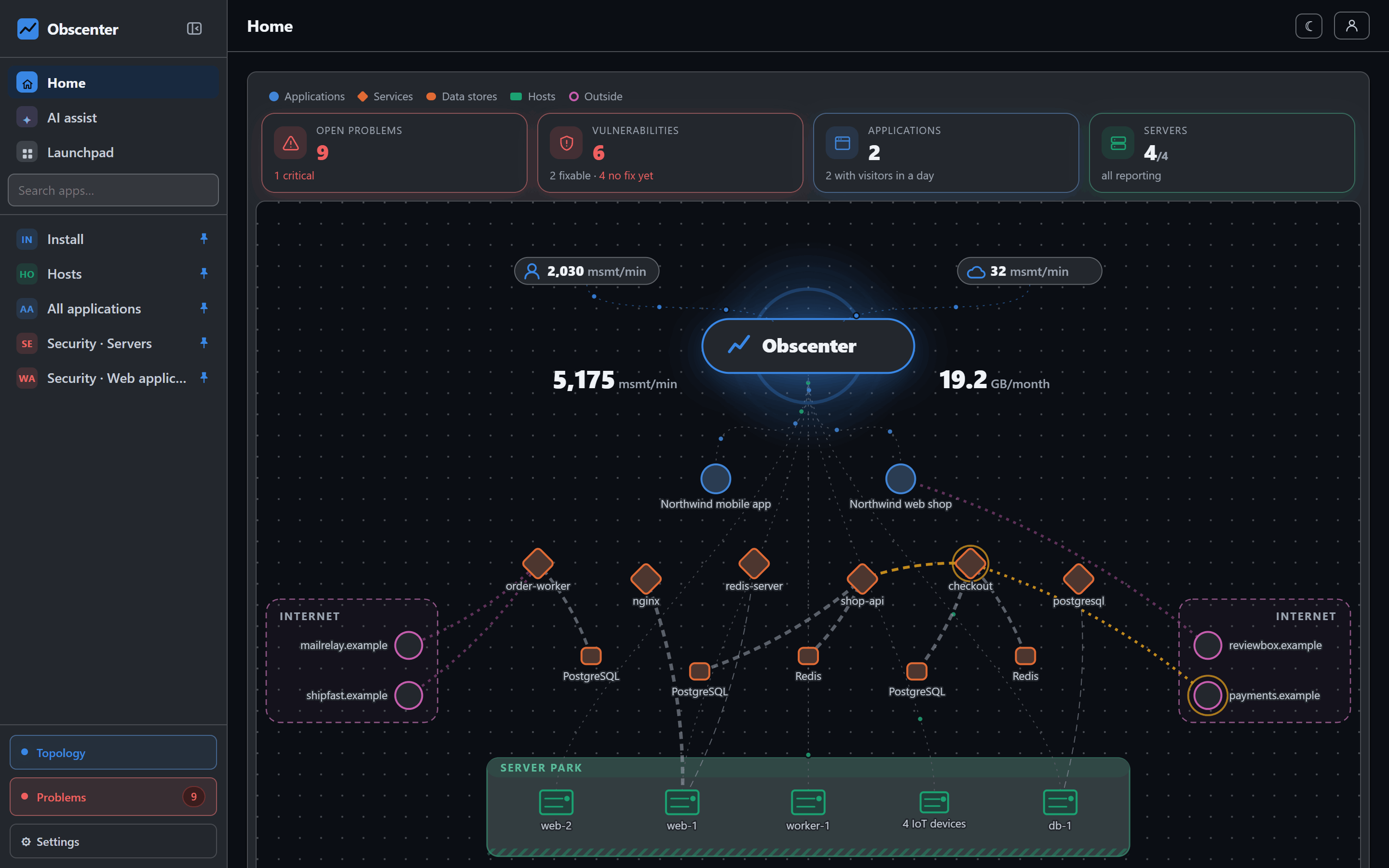
A recipient named by several policies is told once per event. A preview answers "if this ticket opened, which policies would fire and who would hear" before anybody waits for a real one, and the delivery log keeps the policy on every row, so "why did I get this" is one id away. Beside policies, each person can pick the machines and applications they want mail about.
When a ticket should do more than notify, workflow automation can start when a problem opens — including the one a failing check opens: branch, wait, ask a model, send the message.
Staying quiet: maintenance, acknowledgement and repeat windows
A ticket can be acknowledged, which stops escalation. Maintenance windows silence notifications while you work, install-wide or per machine. And Obscenter's own restart — a deploy of the collector, or its machine rebooting — is capped at a warning, because the monitor restarting is not your outage.
See it on your own systems
Problems need a few days of history to know what normal looks like, so the sooner the agent and the tag are in, the sooner the baselines are yours.
Start free or read Getting started.