Docs Backend
Database monitoring
Monitor databases as entities: queries, latency, rollbacks, deadlocks, connections and cache hits, slow SQL from pg_stat_statements, and their traces.
Launchpad → Databases treats each database as an entity of its own. One Postgres outlives several app deployments, and its page answers a different question than the page of the machine it runs on.
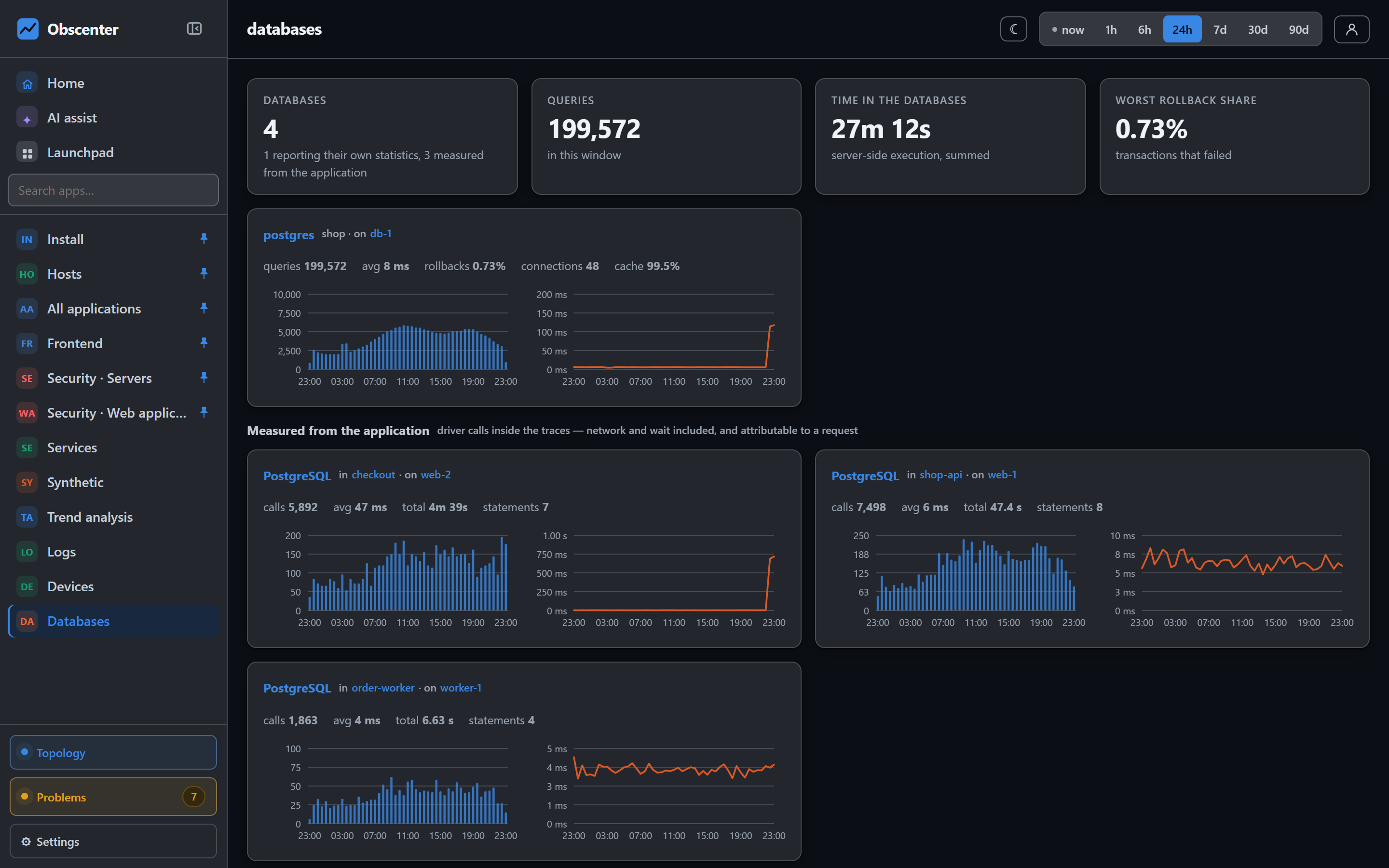
Two sides of the same database
From the application. Every instrumented service records its database calls as spans. That covers pg, mysql/mysql2, sqlite and mongodb, plus Redis as a cache, and any engine whose calls arrive through OpenTelemetry. This side tells you how long each statement took as the application saw it, and which request ran it.
From the database itself. For PostgreSQL running in a Docker container on a machine with the host agent, the agent reads two views:
pg_stat_statements: per statement, its calls and time, the top 200 by total time;pg_stat_database: per database, commits, rollbacks, deadlocks, connections and cache hits.
It connects with docker exec and psql, as the container's own POSTGRES_USER and POSTGRES_DB, so no password is used. If the extension is missing, the agent enables it, once per container. That means adding it to shared_preload_libraries and restarting the container, then running CREATE EXTENSION. It does this only on a machine that allows the agent to change configuration (see What it changes); OBSCENTER_NO_PG_FIX=1 in the agent environment turns this one step off while leaving the rest on.
A Postgres outside Docker, and MySQL, Redis or MongoDB servers, are seen only through the application's spans. Their own statistics are not collected.
A failed statement appears only on the database side, as a rollback. That is why the two views are kept separate and shown side by side. Both hold the agent's deltas between reports, so sums are correct over any time range.
The page
The tiles show the number of databases, the queries, the time spent in the databases, and the worst rollback share. Rollbacks are coloured amber from 5% and red from 25%. Each Postgres shows chips for queries, average time, rollbacks, deadlocks, connections and cache hit ratio, which is amber below 90%. A database that has not reported for 15 minutes is marked as not reporting.
The page has three sections: databases measured from the application, those reached over HTTP, and statements from traces.
One database
A database's page charts queries, response time, errors and connections over time. It lists its statements, up to 200, grouped by their shape, never by the values in them. WHERE id = 42 and WHERE id = 43 are one statement. Click a statement to open the traces of the calls that ran it, with the spans that ran it marked. You go from "the database is slow" to the request, the route and the session that waited on it.
What is watched
- Deadlocks: any deadlock opens a serious ticket.
- Rollbacks: at least 50 transactions with a quarter or more rolled back. Half or more is serious.
- Cache: a hit ratio below 90% over at least five samples.
Slow statements also show up in a slow service's ticket. The root cause names the span kind where the time went and the slowest operation. See Root cause.