Docs Frontend
JavaScript errors and API calls
JavaScript error tracking grouped by fingerprint, with affected sessions and pages, plus the API calls your pages make: endpoints, p50 and p95, failures.
Two pages cover what goes wrong in the browser. Frontend → Errors covers the scripts that throw. Frontend → API calls covers the requests the pages send to your servers.
Errors
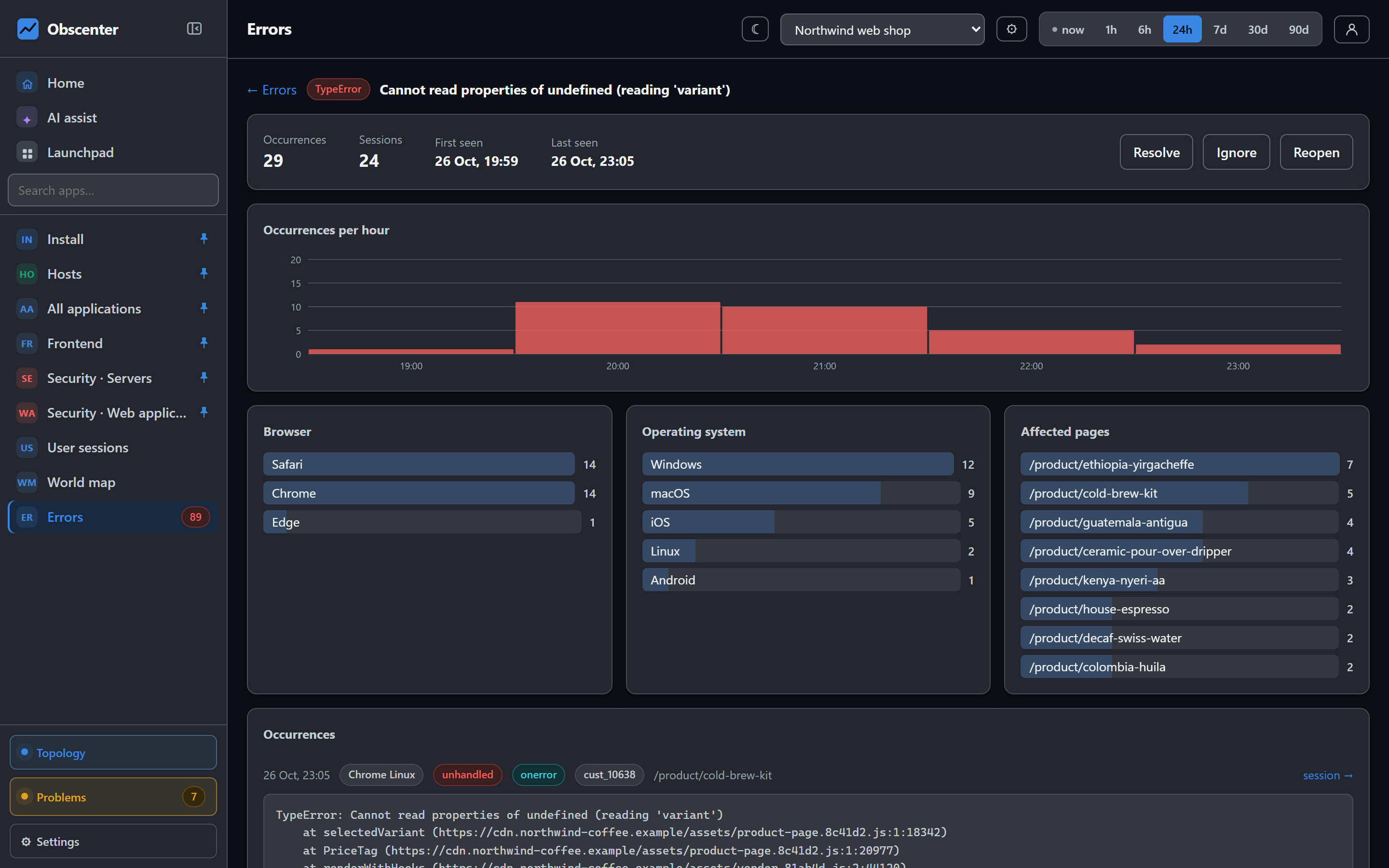
The tag collects:
- uncaught errors;
- unhandled promise rejections;
- scripts, images and stylesheets that failed to load;
- errors you report with
rum('error', err); - optionally
console.error, withdata-console="1".
Stacks are kept up to 30 lines.
Grouping
Errors are grouped by a fingerprint. It is built from the type, the message with its numbers, hex values and URLs normalised, the file without its query string or hashed build segment, and the line. A file name that changes with every build therefore does not split a group.
Working through them
Groups have three states: open, resolved and ignored, with a tab for each and one for all. Mark a group with Resolve, Ignore or Reopen. A resolved group that occurs again keeps its state. Its count and last-seen time move on, so check last seen before you trust a resolved tab.
One group's page shows occurrences per hour, the browsers and operating systems affected, the pages it happened on, and individual occurrences with their stack. Each occurrence opens the session that hit it, and its replay if there is one. Source maps are not applied, so stacks show the files as the browser received them.
A sudden rise in browser errors opens a ticket by itself. Its severity depends on how many people were reached, and the ticket says how many of the error types are new. See How problem detection works.
Sessions with errors also show as a share on the Frontend overview, and as a filter in User sessions.
API calls
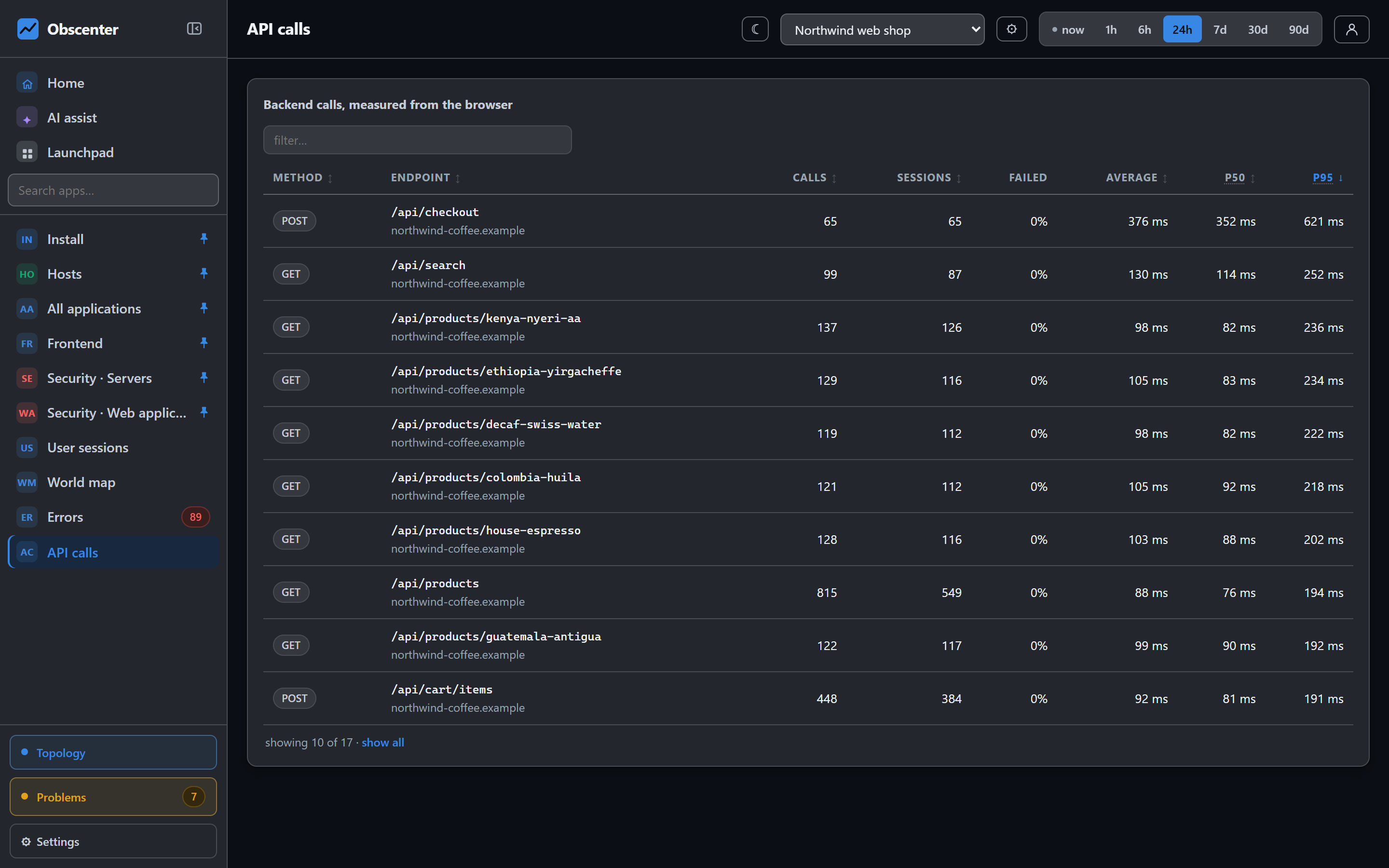
Every XHR and fetch call is measured from the browser: method, URL, status, duration and size. Network failures are marked separately from HTTP errors. API calls groups them by endpoint, including the host, and shows for each one the calls, the sessions that made them, the failure rate and the average time. The Backend p75 tile on the overview is the same measurement summed up.
This is the visitor's view of your API, including the network. To see the server's side of the same call, trace it. Add your API's origin to Backend correlation in the application settings (same-origin is traced by default). Each call then carries a traceparent header, and the request it produced on the server becomes part of the same record. A slow call in a session then opens the trace with every span the server spent. See Services and distributed traces.
To keep noisy URLs, such as a polling endpoint, out of the numbers, list fragments of them in data-xhr-ignore on the tag.
On a mobile app
Both pages work the same way for a React Native app. Errors carry the app version, and a fatal error counts as a crash in the crash-free rate. Calls are measured from fetch and XHR inside the app. An application whose data comes from Sentry shows Sentry's issues instead. See Sentry integration.